
Understanding Idaho Court Dockets
A docket, also called a register of actions, is the dated index of activity in one case. It can show when a complaint was filed, service returned, a motion submitted, a hearing set, minutes entered, an order signed, judgment issued, or appeal started. The entry identifies an event. The full file contains the pleading, order, exhibit, recording, or transcript behind it. Idaho’s elected county clerk serves ex officio as Clerk of the District Court and maintains both District Court and Magistrate Division dockets in the filing county.
Idaho has a unified trial system. District judges hear felonies, larger civil cases, administrative review, and magistrate appeals. Magistrate judges handle misdemeanors, infractions, traffic, felony preliminary stages, civil claims through $10,000, family matters, probate, juvenile matters, and evictions. There is no separate Idaho municipal-court or justice-court network requiring a second search. Modern trial dockets appear in one statewide system, but the local clerk remains the custodian of the documents and older files.
Find Idaho Court Dockets Online
The official iCourt Portal covers statewide trial cases in all 44 Idaho counties. Smart Search accepts an exact case number or a person or business name. Advanced filters can narrow results by location, case type, party role, filing date, and status. Search Hearings uses a location and date range to find calendar entries. The interface requires JavaScript and cookies and may issue a recurring CAPTCHA, so record the case number once the correct result appears.
- Open iCourt Smart Search and enter the exact case number when available. Keep every hyphen in an Odyssey number.
- For a name query, add the likely filing location, case category, status, and date range to reduce false matches.
- Compare the caption, party role, county, filing date, and case type before selecting a result.
- Open the register of actions and read entries in date order. Check the separate hearing view for future settings.
- Use the county directory to request the actual document, recording, certified order, or archived docket from the filing clerk.
A blank search is not proof that no case exists. Recheck spelling, former names, the county, year range, and case category. Sealed or exempt matters may not appear, and legacy records may require manual retrieval. Court staff can verify where a file is kept, but they cannot interpret the docket as legal advice.
Idaho Court Docket Fields
Each Idaho docket line joins a date to an event label and, when public, the filing party, hearing data, judicial officer, or security indicator. Labels vary by case type and migrated legacy records. A visible event does not mean its document can be downloaded anonymously. The official instruction for unavailable documents is to use a county courthouse kiosk or contact the filing clerk.
| Field | What It Shows |
|---|---|
| Entry or Filed Date | The date a filing, hearing, minute, order, judgment, or other event entered the register. |
| Event Type | A description such as complaint, return, motion, notice, hearing, minute entry, order, judgment, sentence, or appeal notice. |
| Filing Party | The party, counsel, prosecutor, or court source tied to the event when the field is public. |
| Hearing Detail | Date, time, location, hearing type, judicial officer, and status for a scheduled proceeding. |
| Outcome or Disposition | The case-level or count-level result, with its date and judge where exposed. |
| Document Indicator | Whether an item is indexed; it does not guarantee that a public PDF link exists. |
Idaho Courts With Dockets
iCourt is the statewide trial-court starting point, while appellate records use Idaho Judicial Branch services. The court level controls both the type of activity and the route for a complete record. Trial records stay with the county clerk. Once an appellate record is lodged, the Idaho Supreme Court Clerk provides the designated appellate-record request route. Public opinions and calendars are separate from the underlying trial exhibits and certified judgment.
- District Court: felony, larger civil, agency-review, and magistrate-appeal activity indexed through iCourt.
- Magistrate Division: misdemeanor, traffic, family, probate, juvenile-access-controlled, smaller civil, and preliminary felony events.
- Idaho appellate courts: calendars, opinions, and lodged appellate records handled through the Judicial Branch and Supreme Court Clerk.
- County archives: older paper or microfilm dockets retrieved by the local clerk when the online index is incomplete.
The same county clerk supports both Idaho trial levels. This prevents the split-clerk problem found in some states, but a requester still needs the correct county, division, and case number. Judges may serve several counties within a judicial district, so the judge’s name alone is not a reliable filing-location key.
Idaho Docket or Case File
The docket answers what happened and when. The full Idaho case file shows what the parties filed and what the court signed. Smart Search can be enough to check status or find the next hearing, but it is not a certified source for the text of a judgment. A clerk request may involve inspection, a plain copy, a certified copy, audio, transcript, or archive retrieval. Exhibits before final disposition can require custodian-judge permission, and protected reports remain unavailable even if nearby docket entries are public.
| Docket | Full Case Record | |
|---|---|---|
| Format | List of entries | Full documents |
| Contents | Dated event labels, settings, and outcomes | Pleadings, orders, exhibits, recordings, and transcripts |
| Access | Public iCourt view when not restricted | County kiosk or clerk request, subject to fees and access rules |
| Best Use | Track case progress and locate entries | Read authoritative language and obtain certified proof |
Read Idaho Court Dockets
Begin with the header. Confirm the case number, caption, county, court, case type, filing date, status, and assigned judge. Idaho Odyssey numbers may begin with CR for criminal, CV for civil, PR for probate, SC for small claims, or family and juvenile labels. Historical formats can differ after migration. Next, read the entries in order and separate a filing from a ruling. A motion asks the judge to act; an order records the judge’s direction. A hearing notice schedules activity but does not state the outcome.
For criminal matters, read each count. Filed or pending means unresolved and does not imply guilt. Dismissed is not a conviction. Acquitted means the factfinder did not convict. Guilty can result from a plea or verdict. Idaho’s withheld judgment is a specific disposition whose effect must be read from the signed order. A continuance postpones an event. Remittitur marks the return of an appellate matter. The last entry may not tell the full story if a later order is restricted or has not yet posted.
Note: A financial balance shown in an Idaho docket is not a certified payoff quote; confirm the current amount with the filing clerk.
Idaho Dockets and Hearings
A docket and a hearing calendar answer different questions. The register of actions records events already entered in the case. Search Hearings locates scheduled court activity for a specified date range. Its controls include location, date from and through, and session-dependent options for judicial officer, case number, or party name. A future setting can change after the search, so confirm the date, time, courtroom, hearing type, judicial officer, and status close to the proceeding.
Hearing entries also require context. An arraignment records the defendant’s receipt of charges and plea. A preliminary hearing addresses whether a felony matter has enough probable-cause support to proceed. A motion hearing concerns a specific request, while a trial setting does not establish that trial occurred or that the case ended. Continuance means postponement. Minutes may summarize what happened, but the signed order or judgment supplies the controlling language when a result matters.
Appellate timing follows a different path. A magistrate decision is reviewed by a district judge on the existing record. A final District Court judgment is appealed to the Idaho Supreme Court, which may keep the matter or assign it to the statewide Idaho Court of Appeals. Appellate entries may include the notice, clerk’s record, transcript lodging, briefs, oral-argument setting, opinion, and remittitur. The appellate courts review for error rather than hear witnesses again.
Note: A scheduled Idaho hearing is not a final outcome; review later docket entries and the signed order for the court’s decision.
Request Idaho Docket Documents
For a complete request, give the filing county, District Court or Magistrate Division, exact case number, caption, approximate year, and each document or date needed. State whether inspection, a plain copy, a certified copy, an electronic copy, audio, or a transcript is requested. The clerk may ask for prepayment and proof of role when restricted access is claimed. Older records can require archive retrieval, while exhibits may need custodian-judge permission before inspection.
Idaho also permits courthouse-kiosk access in any county courthouse for available court information. Local kiosk access can differ from anonymous internet access under ICAR 32. Mail, in-person, phone, email, or fax channels vary by clerk, and a phone call can help confirm the file location and estimated charge. It does not create a certified record. Trial docket requests belong with the county clerk, not the Supreme Court Clerk or Attorney General.
Federal Dockets From Idaho
Federal cases are outside Idaho’s state iCourt system. The U.S. District and Bankruptcy Courts for the District of Idaho provide separate routes through PACER, courthouse terminals, mail, telephone assistance, and clerk copy services. A state case number will not work in the federal database, and a federal docket does not appear merely because the parties or event are in Idaho.
The District of Idaho’s official federal case-information page illustrates those access channels.
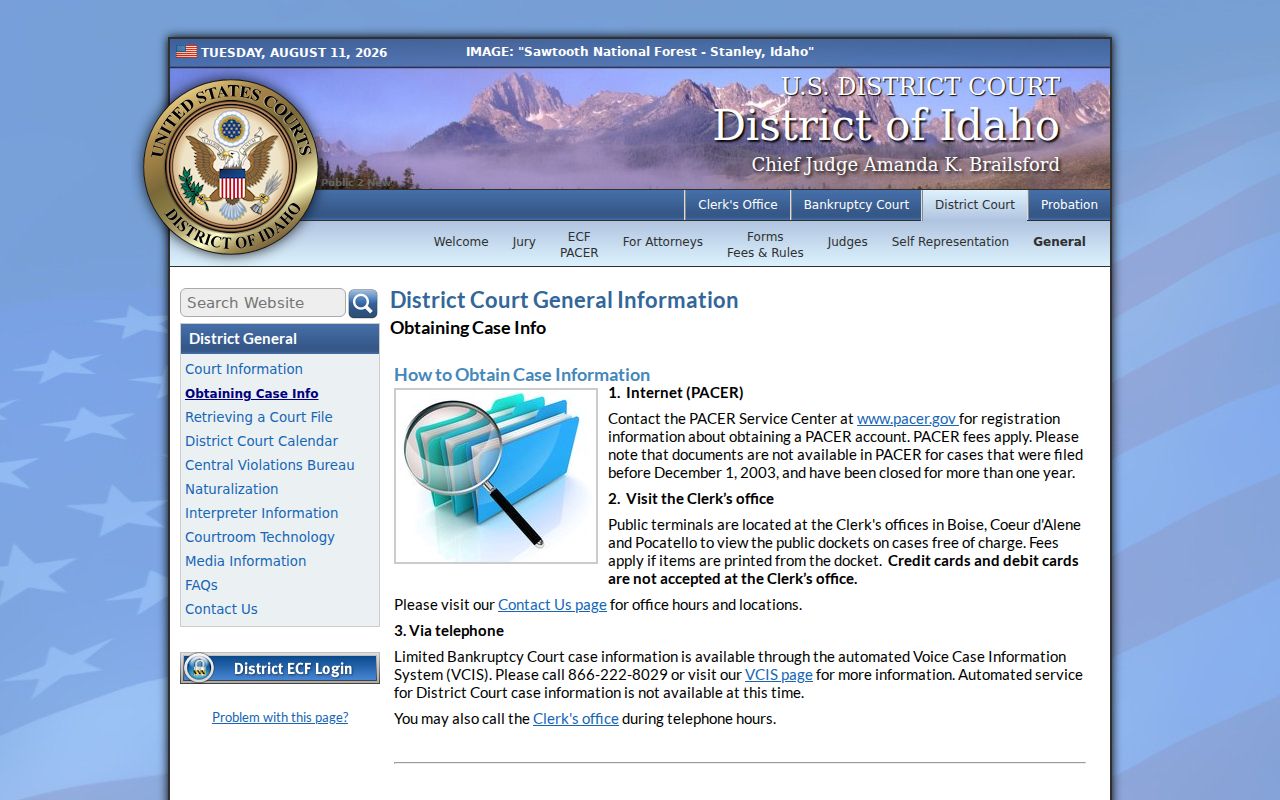
Use the federal court’s own clerk and terminal options for authoritative District of Idaho filings, rather than an Idaho county court office.
The national judiciary explains account registration and docket access at the official PACER service.
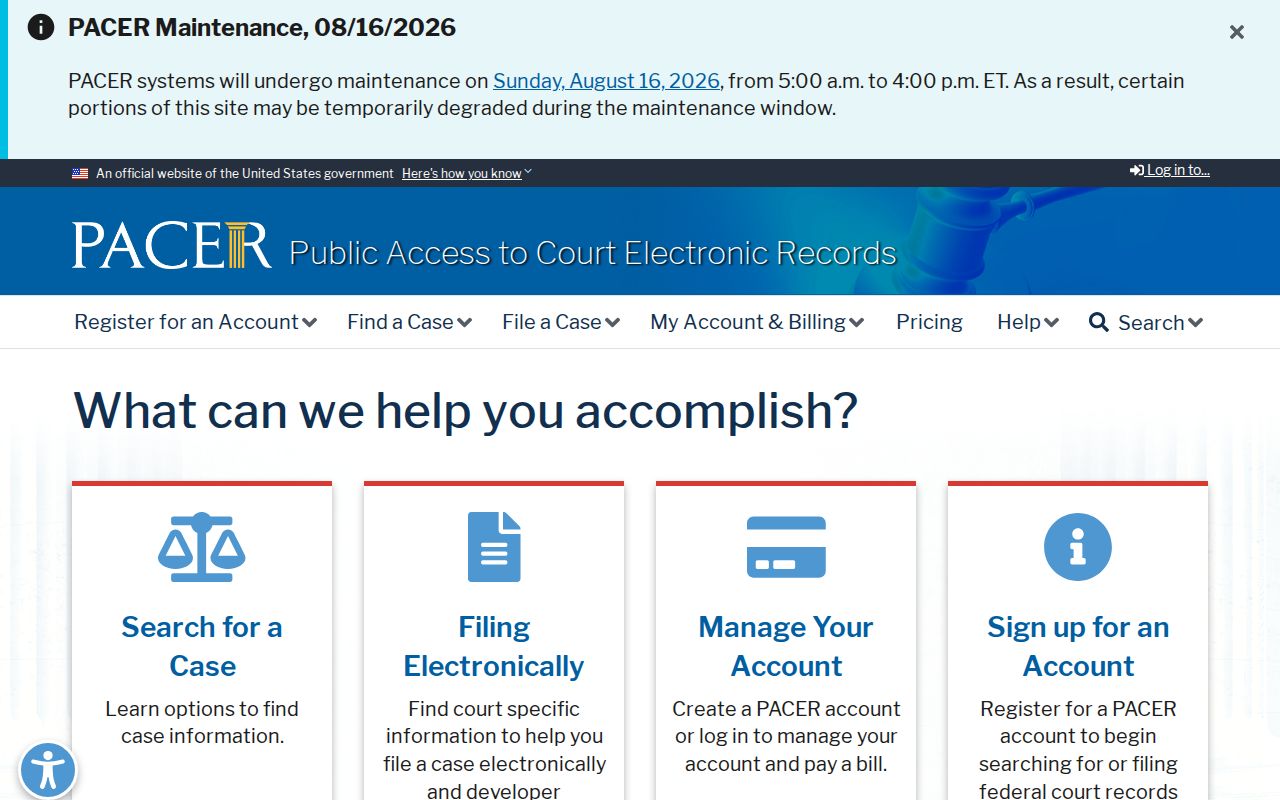
PACER is a federal system with its own registration and fee rules. It does not replace iCourt for Idaho District Court or Magistrate Division dockets.